So how'd theyactually play?
"Good." "We won." That's usually the whole report on the ride home. The numbers say what they actually did out there.
What you see
What they did, not a grade
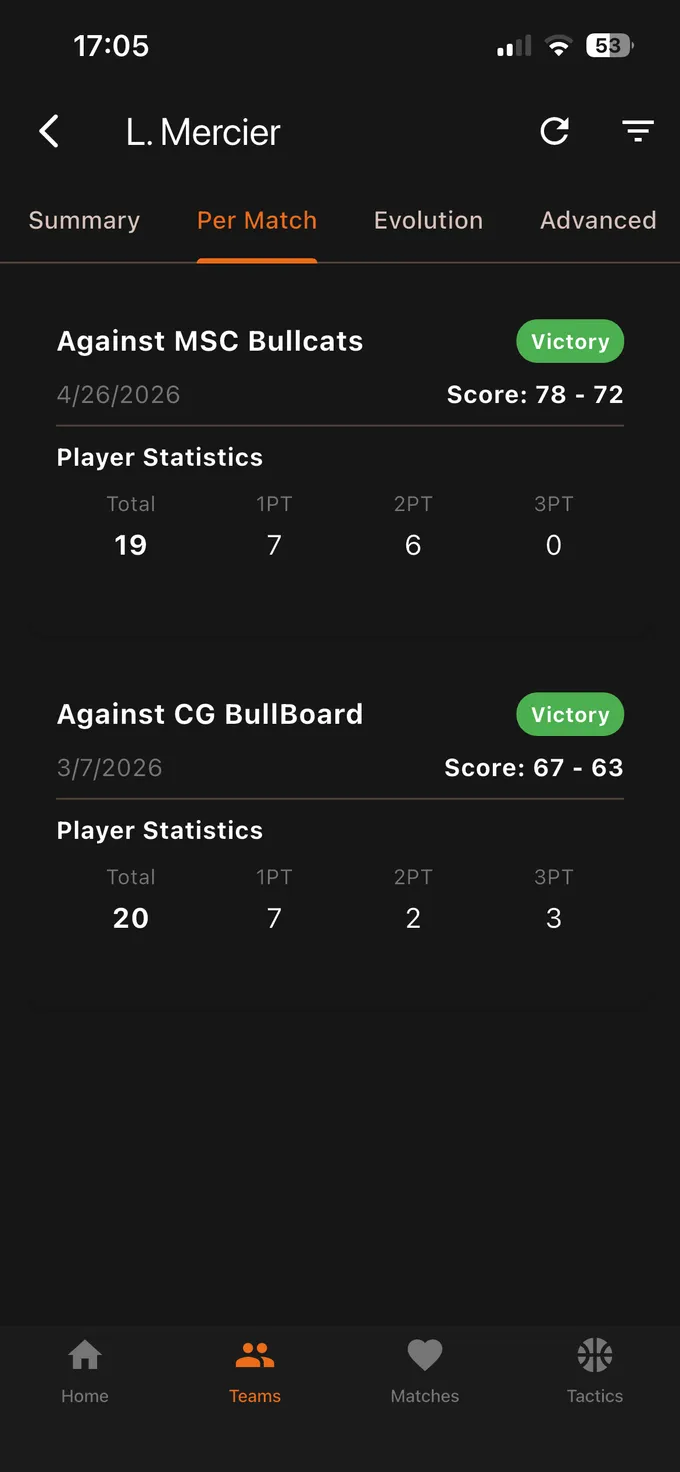
Points, rebounds, assists, steals, minutes. Game by game, and totaled across the season. Not a ranking, not a grade — what they did.
Their role
What the scoreboard doesn't show
A kid who doesn't score much might be the one running the offense, or the one guarding the other team's best player. Player comparison and the spread of the stat line show what they bring, including when the scoreboard doesn't.
Between seasons
Where it gets interesting
One season doesn't say much; three stacked seasons show a direction. Two more points a game than two years ago, or twice as many assists — that's progress a single Saturday never shows.
And if a coach at the next level ever asks what your kid does on the floor, you'll have years of it written down.
Celebrating
With real numbers
"You pulled down six boards" lands better than "good game." A kid who can see their own progress written down knows exactly what they gained.
How it works
You don't log anything, and that's the point

- The coach sends you a link.
- You install PlayerTrackr and create an account.
- You open the link: the team comes up, with your kid's stats front and center if the coach tied them to your link.
- After every game, a notification sums up what they did. You can turn it off in settings.
The coach records during the game; you read. One sheet per team, kept by one person — that's what guarantees your kid's numbers are the same numbers their coach is looking at.
You'll need a connection to open the team: the data lives online, not on your phone.
Total
Download PlayerTrackr